Promo codes update booking totals immediately
Promo codes update booking totals immediately
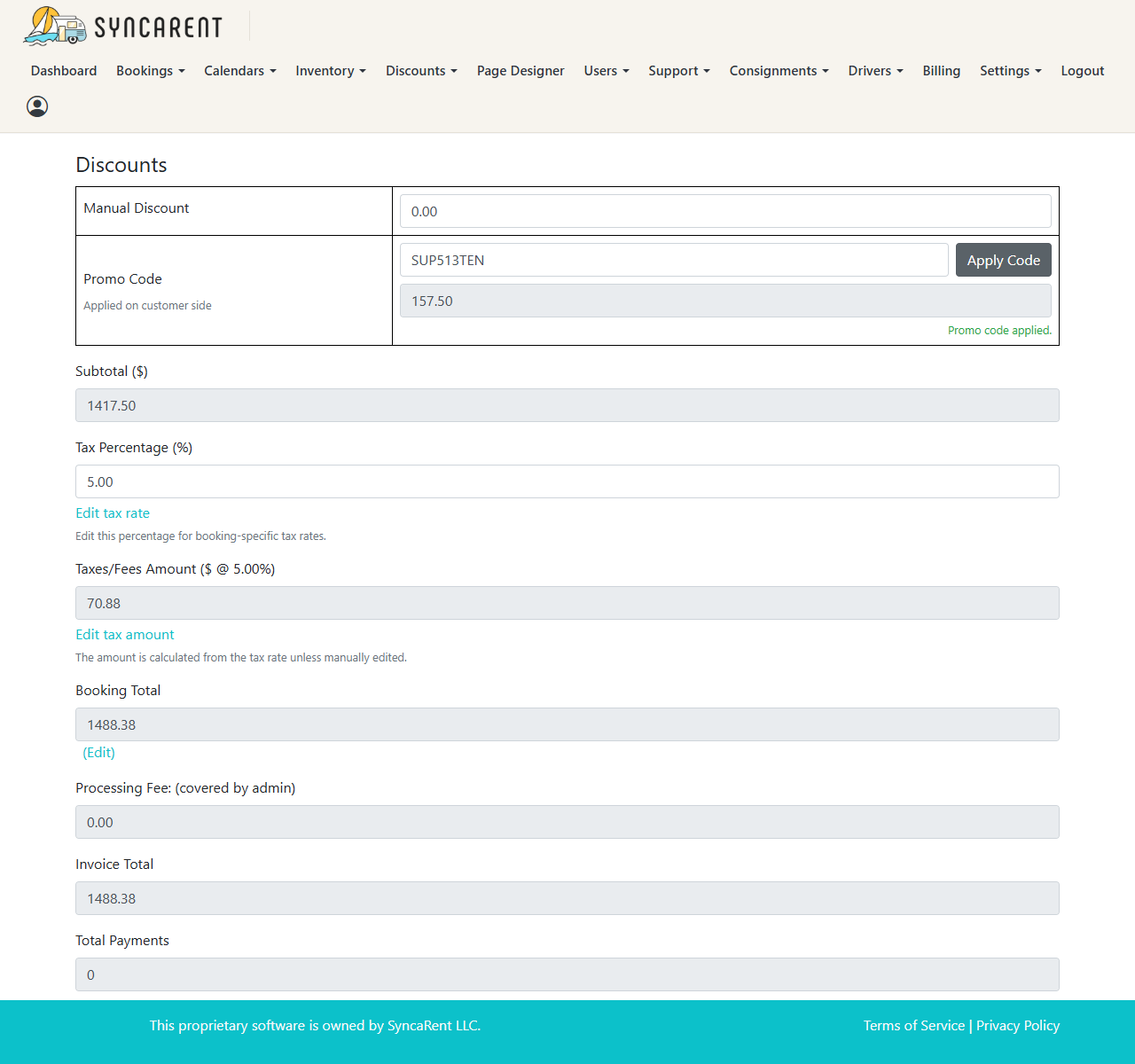
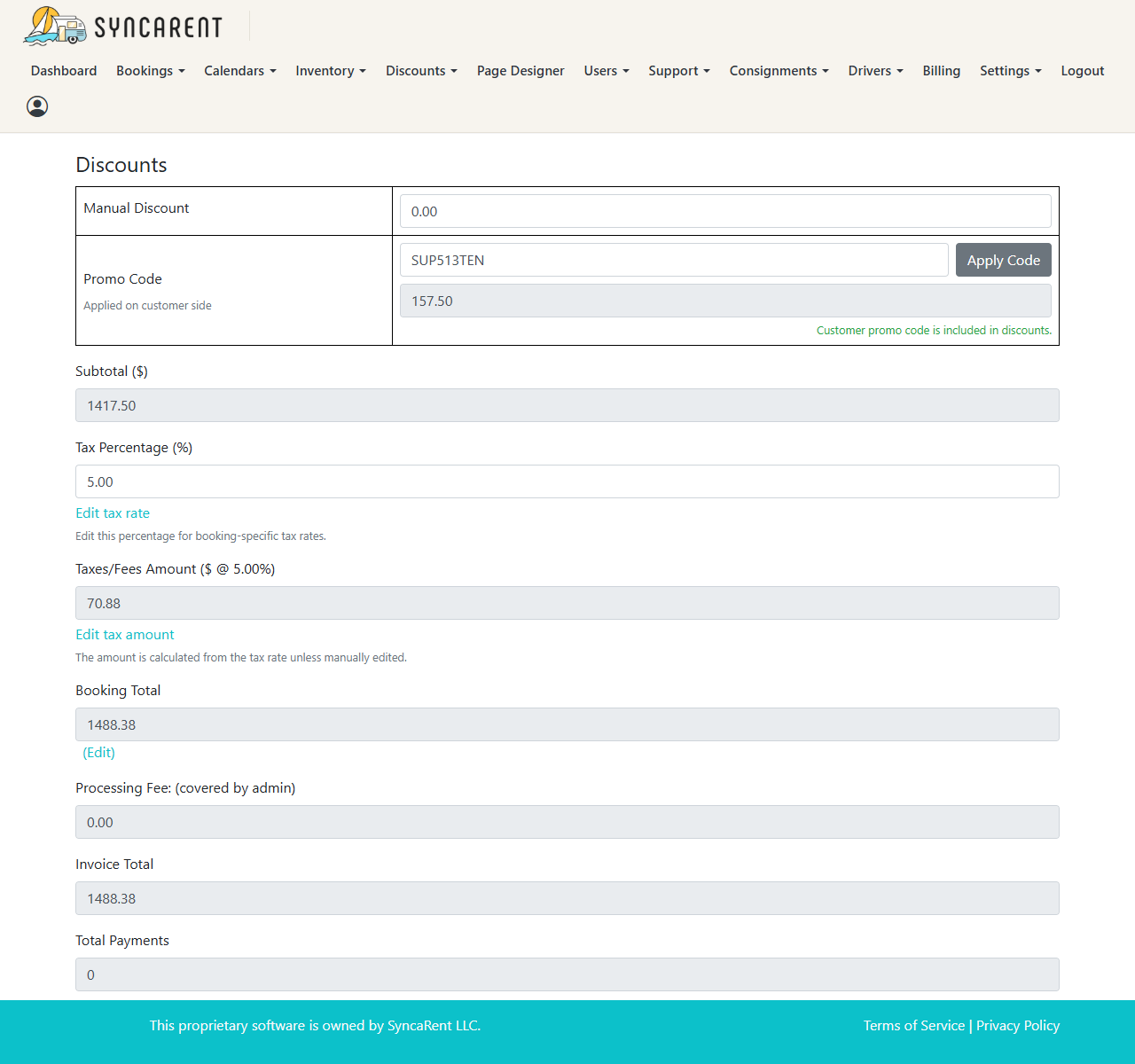
Applying, replacing, or removing a promo code while editing a booking or quote now updates its calculated subtotal, tax, and total immediately. You no longer need to touch the Manual Discount field to refresh the price.
How to use it
1. Open a booking or quote and choose Edit Booking. 2. Under Discounts, enter the promo code and choose Apply Code. 3. Review the discount and updated totals, then choose Update Booking to save.
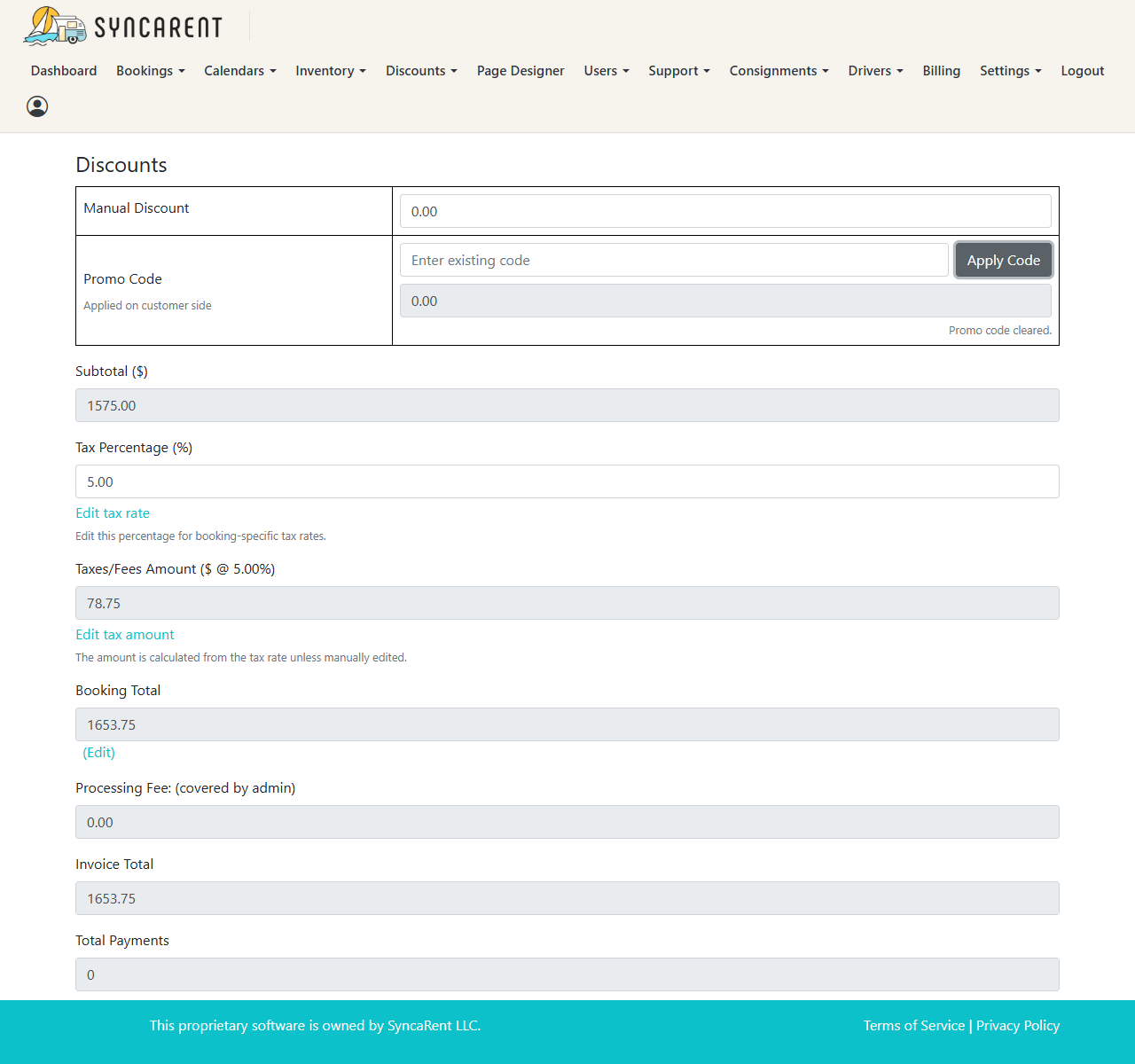
To remove a code, clear the Promo Code field and review the restored total before saving. If you have explicitly entered a manual booking total, that override remains in control.
The demo walkthrough shows a seven-night rental at $225 per night. A 10% code deducts $157.50; with 5% tax, the booking total becomes $1,488.38. Clearing the code restores $1,653.75.
This change does not automatically rewrite previously saved bookings. Review any earlier booking whose saved total did not reflect its discount.