← All releases

Product update ·

Product updates · November 3, 2026

Download Markdown

Optional reservation cart for multiple rentals

The reservation cart lets customers choose multiple inventory items, review each rental's dates and total, and complete one checkout. Staff can open any booking in the group to see the full reservation and its balance.

The cart is off on all existing Production sites at release and defaults to No for new tenants. Normal single-item checkout remains available. To opt in, open General settings → Enable Multiple Campers / Inventory per Reservation, choose Yes, and save. Turn it back to No to return to single-item checkout; existing grouped reservations remain accessible.

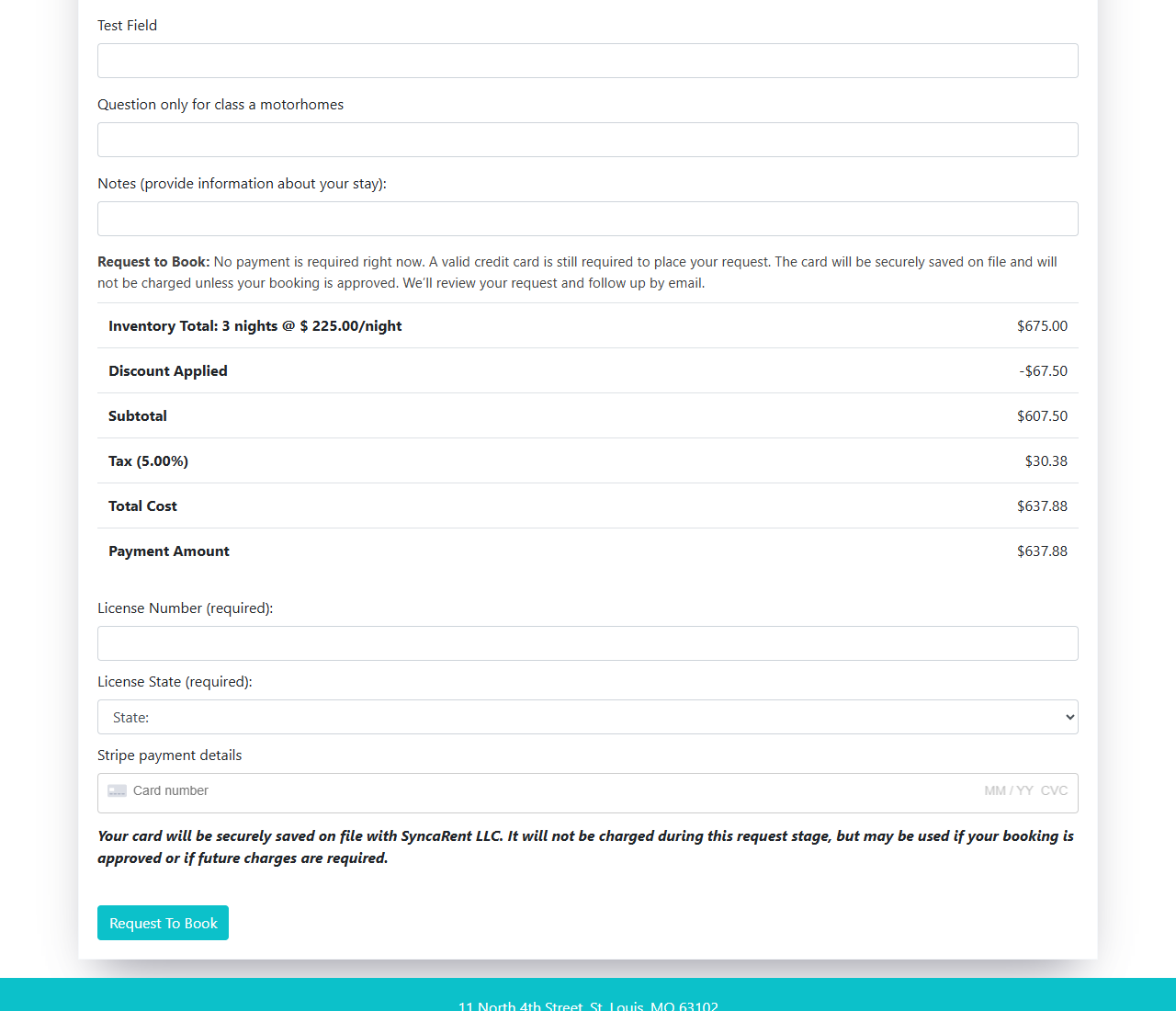
The shared checkout also supports your configured card and optional cash/check pay-later methods. Cash and check default to off; they are available only when enabled in settings. Pay-later bookings retain their unpaid balance.

Promo codes stay with their rental through the basket, and per-item rounding keeps basket and checkout totals consistent. The optional customer processing surcharge is saved as part of the displayed price. SyncaRent platform fees continue to enter the billing ledger for later collection.

The demonstration uses synthetic inventory and Stripe test payments.
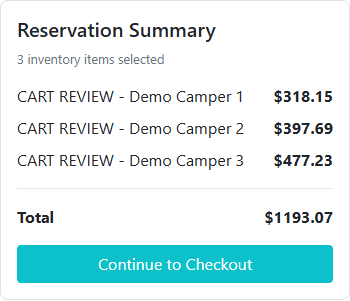
Demo: three rental totals add up to one checkout amount.
Synthetic customer walkthrough: cart checkout, then single-item checkout with the cart off. Stripe test mode.

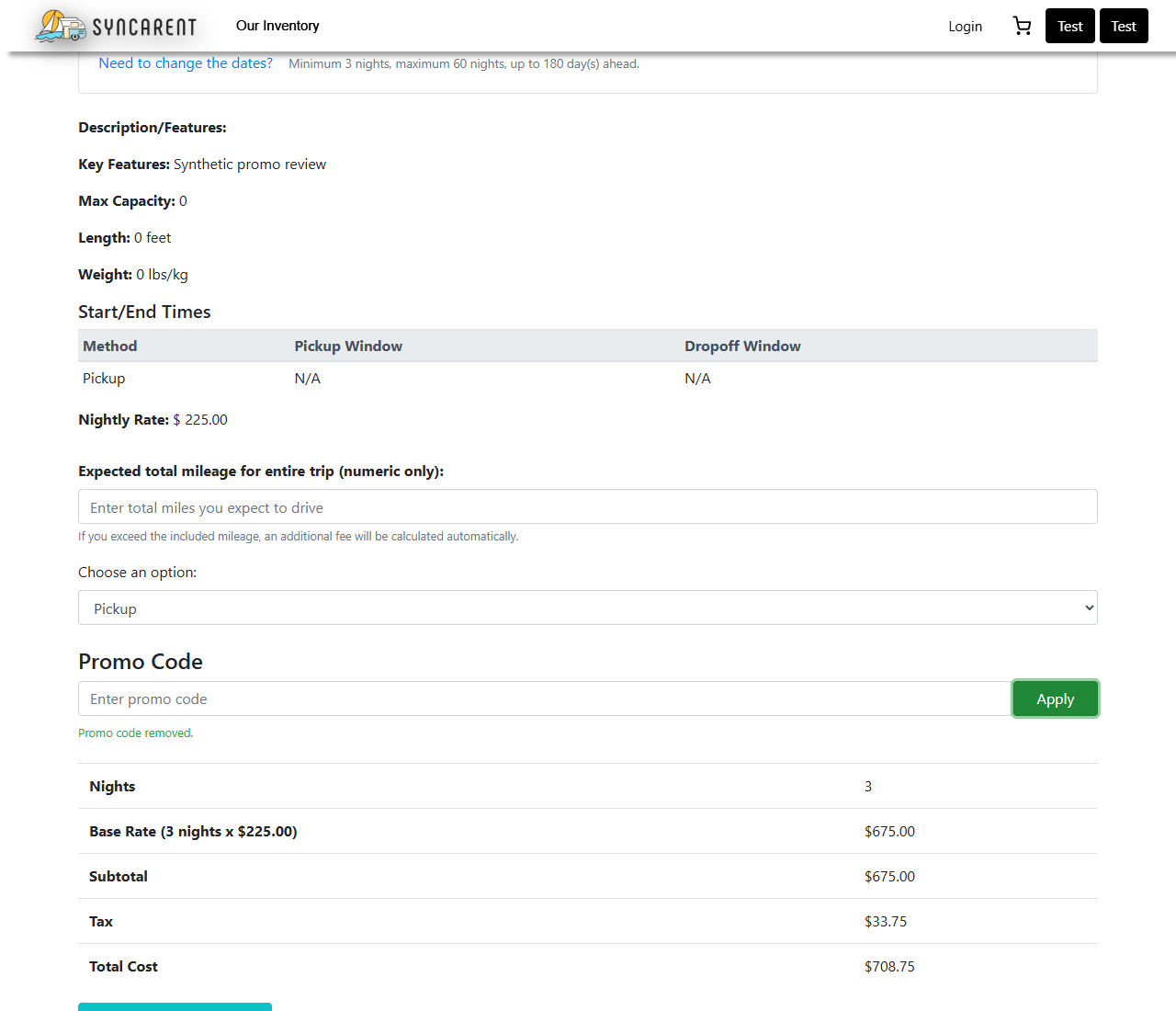
Promo codes stay with your reservation

Promo codes stay with your reservation

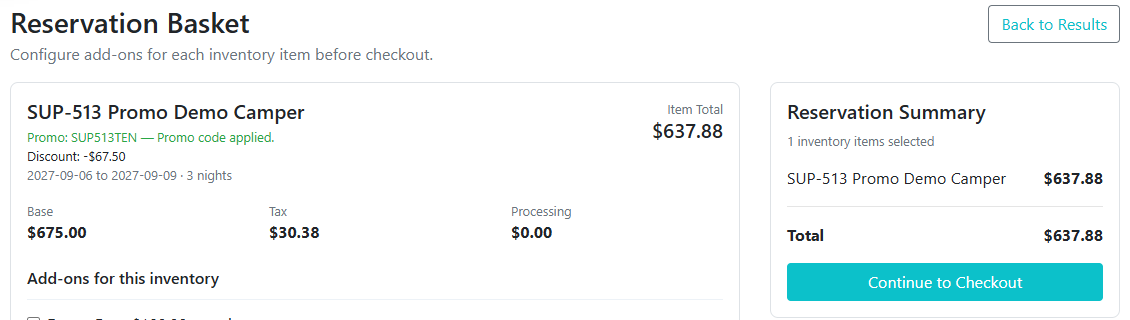
An eligible promo code applied on an inventory page now stays with that rental as you move through the reservation basket and checkout. The basket shows the code and discount, and each rental keeps its own code and dates.

To remove a promo code, clear the Promo Code field and click Apply. The discount and total update immediately. Any eligible length-of-stay discount still applies.

Promo eligibility and discount rules are checked again by the server. Existing reservations are not changed automatically.

Clear the code and click Apply to restore the total.
The basket retains the rental promo and discount.
Checkout retains the same discount and total.
Demo: apply, clear, then carry a code into basket and checkout.

Consistent totals from reservation basket to customer account

Reservation baskets now round each item's taxes and processing fee to cents before adding the total, so the displayed basket amount matches checkout.

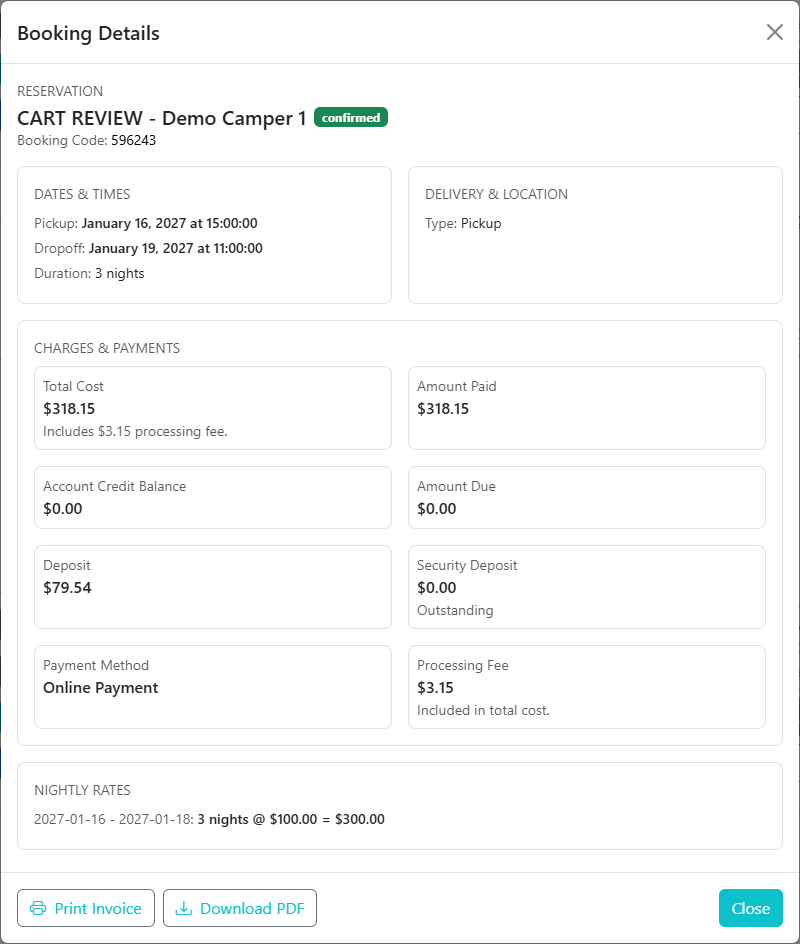
New customer checkouts save the processing fee already included in the price. Booking Details uses the invoice calculation, preventing the fee from being added to the displayed total again.

The cart can still be turned off in General settings. Customers can complete a normal single-item checkout, and existing grouped reservations remain available. Existing historical fee records are not automatically rewritten.

Demo basket: the item totals add up to the checkout amount.
Demo single-item checkout with the cart off: total and payment agree.
Synthetic Dev customer journey with the cart on, followed by checkout with it off. Stripe test mode.