Add helpful links to your add-on descriptions
What changed
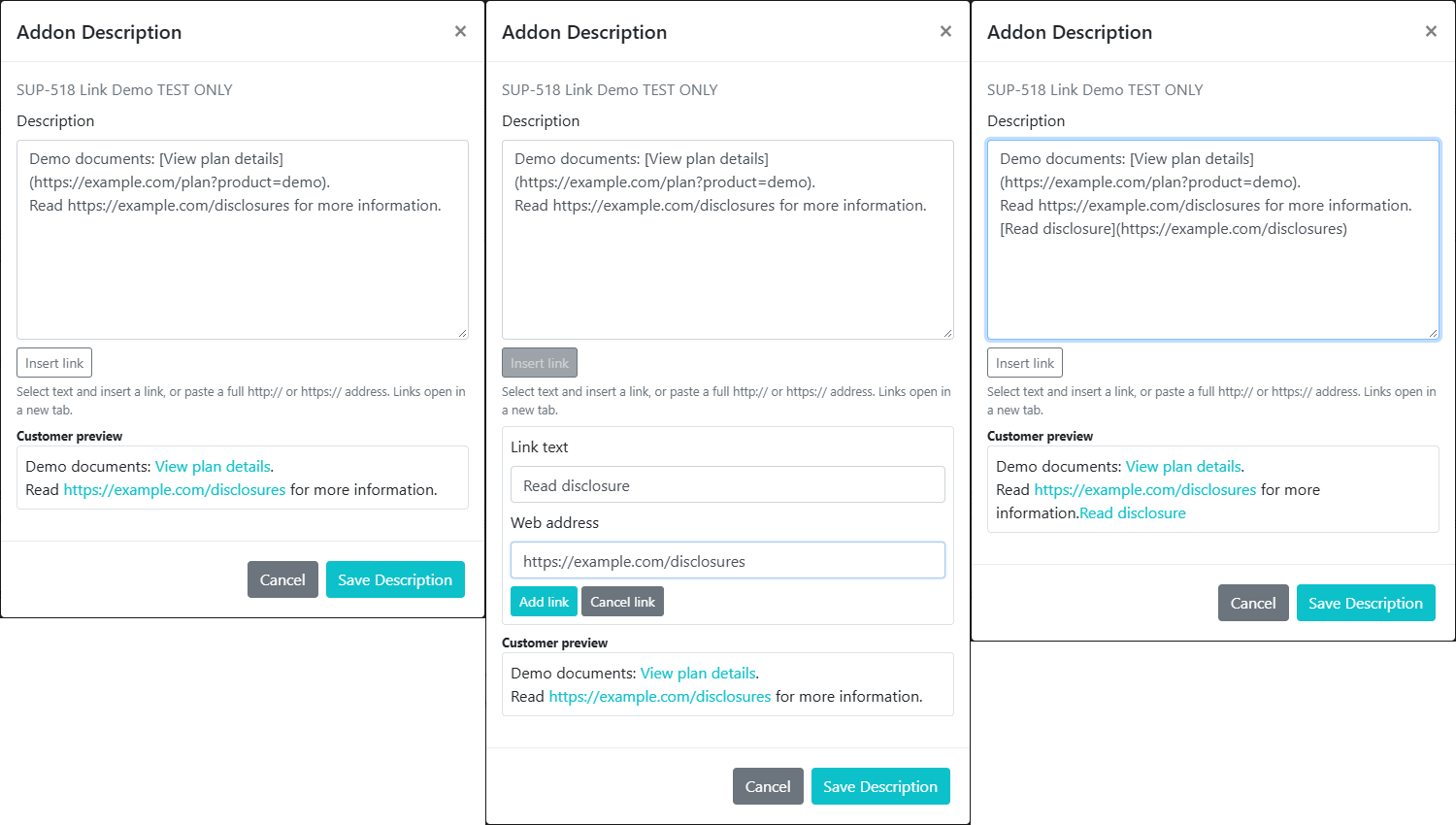
Add-on descriptions can now include clickable links to plan details, disclosures, instructions, or other documents. Customers can open a document in a separate tab while keeping their booking selections.
How to use it
1. Go to Inventory > Add Ons and create an add-on, choose Edit, or open View details > Edit description. 2. Select the words you want to link and choose Insert link. 3. Enter the link text and a complete http:// or https:// address, then choose Add link. 4. Check the Customer preview and save the add-on or description.
You can also paste a complete web address directly into the description. Multiple links are supported. Choose the correct document for each product; existing saved descriptions and destinations are not automatically rewritten.
The demonstration uses fictional test documents. Add-on prices and selection rules are unchanged.
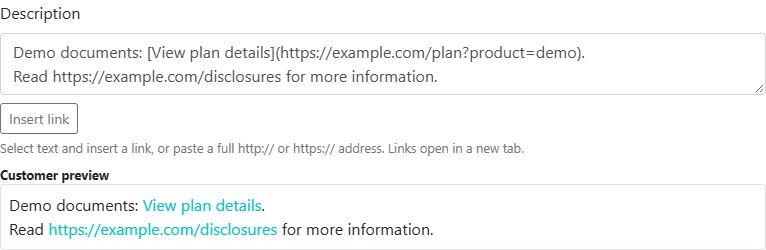
Play animation: Insert a labeled link and check the customer preview before saving.